
Moultrie
PRADCO Outdoor BrandsSports
4.74.66K Reviews
- Version
- 6.21.0
- Installs
- 500.00K
- Age Rating
- Everyone
Screenshots
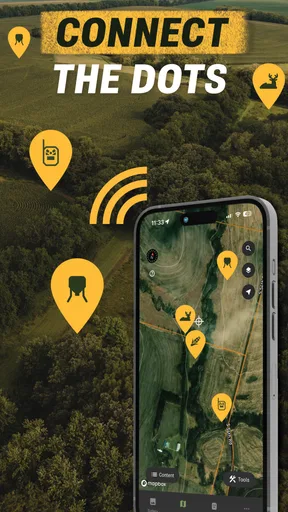
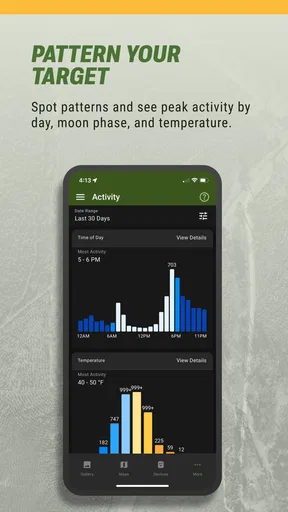
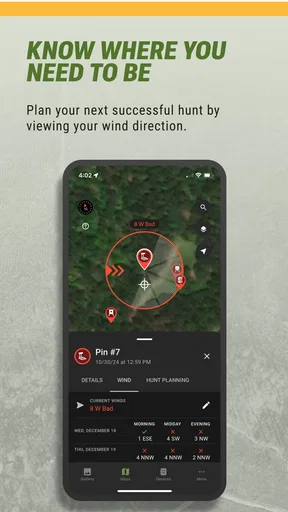
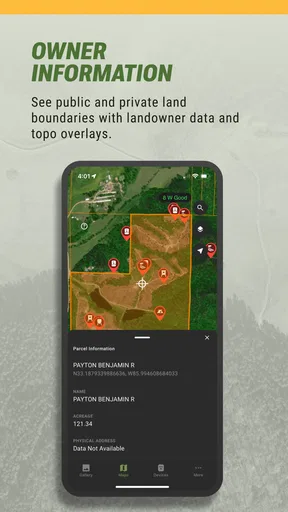
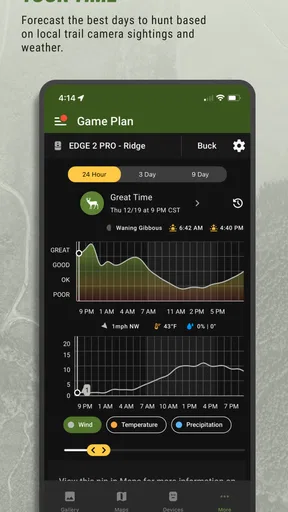
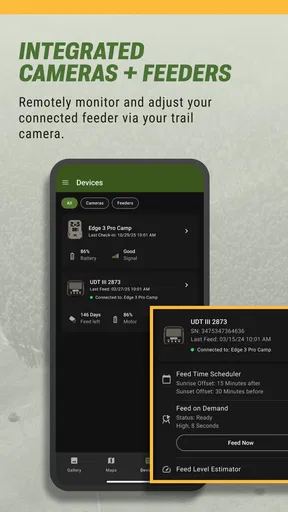
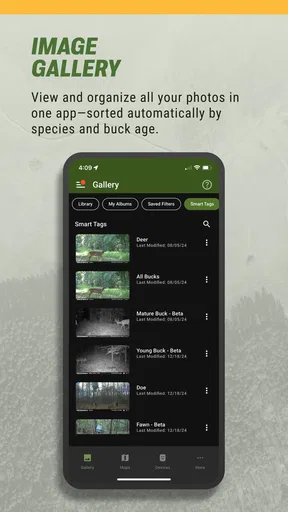
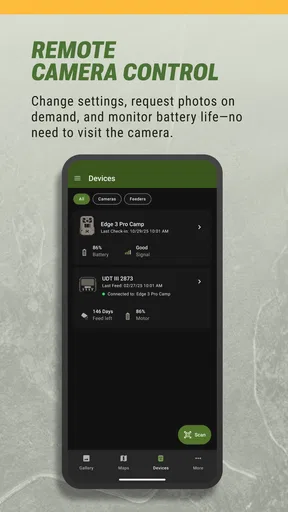
Our Review of Moultrie
 Analysis by Appyee
When a trail camera starts collecting images, the difficult part is often not taking the picture. It is turning a growing pile of wildlife photos into something I can actually review, organize, and share. That is the problem Moultrie addresses. Developed by PRADCO Outdoor Brands, this free sports app is built around viewing, managing, and sharing images from Moultrie game cameras, so its value depends less on casual browsing and more on whether your camera routine needs a central place for the results.
I approached it as a practical tool rather than a general photo gallery. The useful question is not simply whether it opens pictures; it is whether it helps me move from a camera in the field to a clear decision at home. For someone who checks wildlife activity, monitors a property, or works with other people on outdoor observations, that workflow can be much more convenient than treating every camera image as a separate file. For someone without a Moultrie camera setup, the app has far less to offer.
From a camera in the field to a usable image library
I find the most useful way to judge this workflow is to start before the first image appears: decide what I hope to learn from the camera, then review captures with that question in mind. That keeps a growing library from becoming a distracting scroll and makes it easier to choose what deserves attention. The next section looks at how that focused habit affects the pace of a typical check.
The starting point: images arrive before the conclusions
A realistic Moultrie routine begins away from the phone. A camera is placed outdoors, left to capture activity, and eventually produces a set of images that need attention. By the time I sit down to review them, I am not looking for a single attractive photograph. I want to identify useful activity, separate routine captures from important ones, and keep the material accessible for later comparison.
That distinction matters because a trail-camera image library quickly becomes repetitive. Many frames may show empty paths, changing light, or the same animal appearing at different times. A good companion app should reduce the effort between receiving those images and understanding what they mean. Moultrie is focused on that narrow but valuable job instead of trying to become a full outdoor social network or a general-purpose editing suite.
The app’s sports category is a natural fit, although its audience is more specific than the category label suggests. I see it as a field-support tool for people who use game cameras, not as a sports app for workouts, scores, or live competition. That focus is a strength when the camera workflow is already part of my routine, because the interface has a clear purpose from the moment I open it.
What I do first inside the app
My first step is to make sure I am working in the right camera environment and then move into the image review process. The important habit is to avoid treating every new capture as equally urgent. I look through the incoming material with a specific question in mind: am I checking recent activity, looking for a particular pattern, or preparing a group of images to show someone else?
That simple decision changes how useful the app feels. If I open it without a purpose, the stream can become another endless scroll. If I know what I am trying to confirm, browsing becomes a filtering exercise in my own head. Moultrie gives me the place to manage and share the images, but I still need a sensible review method to avoid wasting time.
One practical approach is to make an initial pass quickly, marking the images that deserve a closer look rather than stopping at every frame. On a second pass, I can compare the useful captures and decide what should be kept for reference or shared. This two-stage workflow is more efficient than trying to analyze every image perfectly on first viewing, especially after the camera has been active for a while.
Managing images instead of merely viewing them
The difference between an image viewer and a camera-management companion is the point at which the photos become useful records. I use the app not only to look at a capture but also to keep the relevant material together mentally: which camera produced it, why it matters, and who may need to see it next.
That is where the app’s management role becomes important. A single interesting image is easy to remember. A sequence of images spread across several checks is not. When I am following activity over time, the ability to return to the camera’s images and share selected material gives the workflow more continuity than sending isolated pictures through a messaging app as soon as I notice them.
There is also a small but important trade-off here. Moultrie can make the camera library easier to reach, but it does not remove the need for personal organization. I still benefit from a consistent naming habit outside the app, a note about why an image matters, or a simple record of when I checked a location. The app is the visual center of the process; it should not be mistaken for a complete field notebook.
The handoff from one person to another
Sharing is most useful when the image has a clear recipient and purpose. In an everyday scenario, I might check the camera after work, find a sequence worth discussing, and send it to a family member or a hunting partner. The handoff is faster than explaining what happened from memory because the other person can inspect the actual capture.
I prefer to share a small, intentional selection rather than an entire batch. Sending everything creates the same problem the app is meant to solve: the recipient has to search through noise before finding the meaningful frame. A short set of images, accompanied by a plain explanation of what I noticed, makes the app’s sharing function far more effective.
This is also where expectations should remain realistic. Sharing an image does not automatically transfer the whole context behind it. The recipient may not know the camera location, the order of captures, or what comparison I am making. I get better results when I treat the handoff as a conversation supported by images, not as a complete report generated with one tap.
For a small group, that distinction can save time. One person can review the incoming material, another can look at the selected captures, and the group can discuss what to do next. The app supports the movement of visual evidence between people, but the quality of the final decision still depends on how clearly the first reviewer explains the situation.
Turning images into an outdoor decision
The outcome I want is not simply a full phone gallery. I want a clearer idea of what is happening around the camera location. Perhaps the images confirm that a route is active, show that a location deserves another visit, or provide a useful record to compare with a later check. Moultrie helps by keeping the image part of that process close at hand.
Its strongest use case is therefore repeated monitoring. A person who checks a game camera once and rarely returns may not notice much difference between this app and a basic method of receiving photos. Someone who reviews images regularly, shares selected captures, and needs to revisit earlier material is more likely to appreciate the dedicated workflow.
I also find the app better suited to practical observation than to polished photography. The goal is usually information: what appeared, when it appeared, and whether the image changes my next step. If I want advanced editing, album design, or a broad photo-backup system, I would choose a different tool after the camera images have been exported or shared.
Where the workflow becomes less comfortable
The first limitation is obvious but important: Moultrie’s usefulness is tied to Moultrie game-camera images. It is not the right choice if I am searching for a universal camera manager that combines unrelated brands, ordinary phone photography, and every outdoor sensor in one place. In that situation, a general cloud gallery or the camera manufacturer’s own alternative may fit better.
The second issue is that a focused image-management app cannot solve every field condition. If the camera placement, capture settings, or review habits are poor, the app will still present an unhelpful collection of images. It gives me access to the results, but it cannot turn weak source material into reliable evidence. I need to think about placement and review criteria before expecting the software to do the important reasoning.
There can also be friction when several people are involved. A shared image may prompt different interpretations, and the app does not replace an agreed process for deciding which captures matter. If a group needs formal records, detailed annotations, or a long-term project database, I would pair Moultrie with a separate note-taking or documentation system rather than forcing the app to carry every responsibility.
Another trade-off concerns cost. The app itself is free, which makes it easy to try as part of a compatible camera setup, but in-app purchases are listed at $4.99 per item. I would check the purchase details carefully before paying, especially if the basic image workflow already covers my needs. A paid option can be worthwhile when it removes a repeated annoyance, but it should be judged against how often I actually review and share camera images.
Compatibility, access, and everyday expectations
On the platform side, the current version is 6.16.0 and requires an operating system version of 12 or later. That is not a concern for a reasonably current phone, but it is worth checking before planning a field workflow around an older device. A camera app is most useful when it is available on the phone I will actually carry outdoors, not merely on a newer device sitting at home.
The app is rated for Everyone, so its subject matter is accessible to a broad audience. That does not mean every use is equally appropriate for every person. The practical learning curve comes from understanding the camera workflow, image volume, and sharing habits rather than from complicated sports terminology.
Its public reception is encouraging: it holds a 4.6 average from around twelve thousand ratings and has more than four thousand written reviews. It has also passed half a million installs, which suggests that the concept has reached a meaningful audience. I treat those figures as a useful confidence signal, not as proof that every camera setup or phone will feel identical.
How it compares with the usual alternatives
The most obvious alternative is a standard photo app. That option is better if my main goal is storing, editing, or backing up images from many sources. A general gallery is also more flexible for ordinary photographs, but it usually makes me build the camera-specific organization myself. Moultrie is more specialized, so it makes more sense when the images originate in a compatible game-camera routine.
Another alternative is handling images through email or messaging alone. That is convenient for sending one memorable capture, but it becomes messy when I need to revisit a sequence or keep the camera material distinct from everyday conversations. Moultrie offers a more deliberate home for the images before I decide what deserves wider distribution.
A cloud storage service can be stronger for long-term archiving, cross-device access, and broad file management. I would choose that route for a large mixed media library or formal backups. I would choose Moultrie when the immediate priority is reviewing and sharing game-camera images without building the workflow from scratch in a generic storage app.
Finally, some users may prefer a different camera ecosystem entirely if they need broader hardware compatibility or a more general monitoring platform. That is not a criticism of Moultrie so much as a reminder to choose the camera and app together. The software is most convincing when it matches the equipment already used in the field.
Who should use it, and who should skip it
I would recommend Moultrie to a game-camera owner who wants a practical way to review images, keep the camera workflow in one place, and send selected captures to other people. It is especially sensible for someone who checks images repeatedly rather than only opening the camera’s results on rare occasions. The free entry point also makes it reasonable to test before considering any optional purchase.
I would be more cautious if I needed a complete wildlife research record, advanced image analysis, multi-brand hardware support, or a sophisticated team workspace. In those cases, Moultrie may still handle the image handoff, but another service would probably be better for the larger project. I would also skip it if I do not use Moultrie game cameras, because the app’s specialization would offer little advantage over the gallery and cloud tools I already have.
My best tip is to decide the outcome before opening the image stream. Do I need to identify recent activity, select evidence for another person, or preserve a useful reference? That question prevents aimless scrolling. My second tip is to share only the smallest set that supports the point I am making. My third is to keep a separate short note when an image affects a future decision, because the picture alone may not explain why it mattered weeks later.
My overall experience with the workflow
Moultrie succeeds because it stays close to a real outdoor task: camera images arrive, someone reviews them, selected material moves to another person, and the group decides what to do next. I like that it treats the image library as part of the camera experience rather than as random files that happen to land on a phone. That focus gives it a clear identity in the sports category.
At the same time, I would not describe it as a universal answer for every image-management problem. Its benefits depend on compatible Moultrie equipment, regular review, and a willingness to provide the organization and context that software cannot invent. The optional purchases also mean I would start with the free workflow and only pay if a specific need justifies it.
After using it as a complete input-to-outcome process, my recommendation is straightforward: choose Moultrie if your outdoor routine already revolves around Moultrie game cameras and you want a focused way to view, manage, and share what they capture. It is less compelling as a general photo tool, but within its lane it can make the handoff from field camera to informed conversation noticeably easier. For me, that focused usefulness is the reason to install it.
Privacy and Permissions
See what permissions an app requests and how it handles your data.
- Location
- approximate location (network-based), precise location (GPS and network-based)
- Photos/Media/Files
- read the contents of your USB storage, modify or delete the contents of your USB storage
- Storage
- read the contents of your USB storage, modify or delete the contents of your USB storage
- Camera
- take pictures and videos
- Wi-Fi connection information
- view Wi-Fi connections
- Other
- view network connections, read battery statistics, pair with Bluetooth devices, access Bluetooth settings, full network access, change your audio settings, run at startup, control vibration, prevent device from sleeping
Verdict
Strengths of Moultrie
- Remote access makes checking cameras convenient from anywhere.
- Useful alerts help identify activity without reviewing every photo.
- Supports organizing multiple cameras in one account.
- Image history makes it easy to compare wildlife activity over time.
- Designed for outdoor monitoring and hunting-related use cases.
Limitations of Moultrie
- Some features may require a compatible Moultrie device or subscription.
- Cellular cameras depend on network coverage in remote locations.
- Frequent image uploads can consume battery power quickly.
- Initial camera pairing and setup may take some trial and error.
- Cloud storage and advanced tools may be limited on basic plans.
Similar Picks in This Category
View All
BeSoccer: Soccer Live Score
BeSoccer apps4.3

Cricbuzz - Live Cricket Scores
Cricbuzz.com3.7

NFL
NFL Enterprises LLC2.4

Da Fit
MO YOUNG LIMITED3.6

ESPN
Disney4.5

LiveScore: Live Sports Scores
LiveScore Limited4.5
Frequently Asked Questions
What is the Moultrie app used for?
The Moultrie app is designed to help hunters and outdoor enthusiasts manage compatible Moultrie trail cameras and related equipment from a mobile device. Depending on the camera model and subscription plan, you can view captured photos and videos, receive activity notifications, organize images, check camera status, and adjust certain settings remotely instead of visiting every camera location.
Does Moultrie work with every trail camera?
No. The app is primarily intended for compatible Moultrie cellular trail cameras and selected Moultrie accessories. Features can vary depending on the exact camera model, firmware version, cellular network availability, and region. Before downloading, check the supported-device list and confirm that your camera has an active cellular plan if remote uploads, notifications, or live status updates are important to you.
Is the Moultrie app free to download and use?
The Moultrie app may be free to download, but some of its most useful services typically depend on a paid cellular data or membership plan. Costs can vary according to the number of cameras, image limits, storage, and included features. Review the current pricing, renewal terms, and cancellation policy before activating a plan, especially if you intend to operate several cameras.
Can I view photos and control my camera remotely with Moultrie?
With a compatible cellular camera and an appropriate service plan, Moultrie can let you receive uploaded photos and videos, review camera activity, and manage selected settings remotely. The available controls are not identical across all models. Upload speed and reliability also depend on signal strength, battery condition, weather, and the quality of cellular coverage at the camera location.
What should I check if my Moultrie camera is not appearing in the app?
First, confirm that you are signed in to the correct Moultrie account and that the camera was added using the proper activation or pairing process. Then check the camera’s battery level, SIM or cellular subscription, antenna, firmware, and network signal. Restarting the app and camera may help. If the problem continues, consult Moultrie support with the camera’s model and serial information.
